Operations Director
Cross-department health, high-impact exceptions, approval exposure, capacity constraints, and performance.
Fictional demonstration · synthetic operational data
One place to understand operational activity, responsibilities, approvals, delays, exceptions, capacity, and performance—and act without losing context.
Concept demonstration built by Pixelity using fictional data
Operations Command Center ready.
Operations Command Center
Fictional demonstration
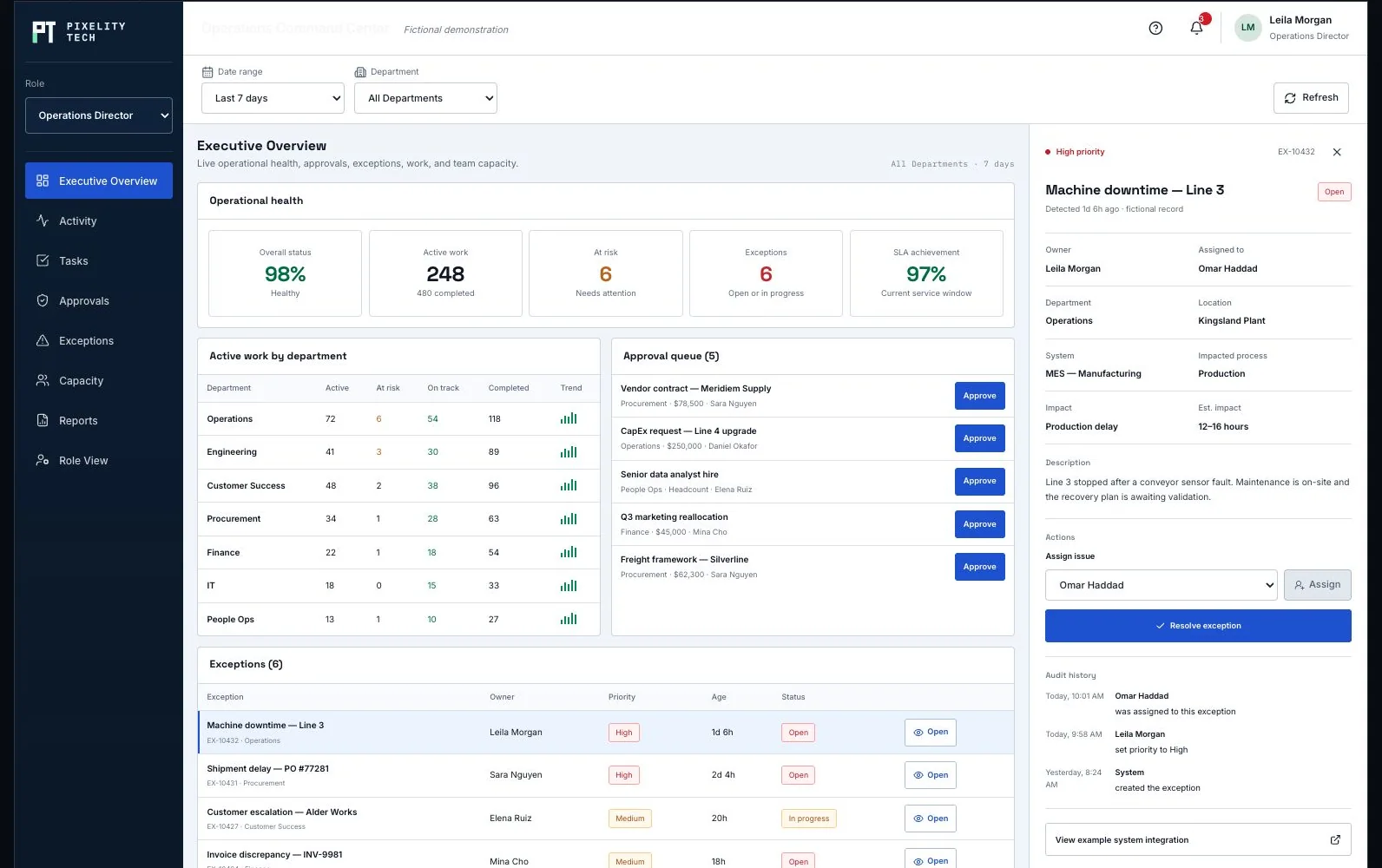
Live operational health, approvals, exceptions, work, and team capacity.
| Department | Active | At risk | On track | Completed | Trend |
|---|---|---|---|---|---|
| Operations | 1 | 1 | 0 | 0 | |
| Procurement | 1 | 1 | 0 | 0 | |
| Finance | 1 | 0 | 1 | 0 | |
| Customer Success | 1 | 1 | 0 | 0 | |
| Engineering | 1 | 0 | 1 | 0 | |
| IT | 1 | 0 | 1 | 0 |
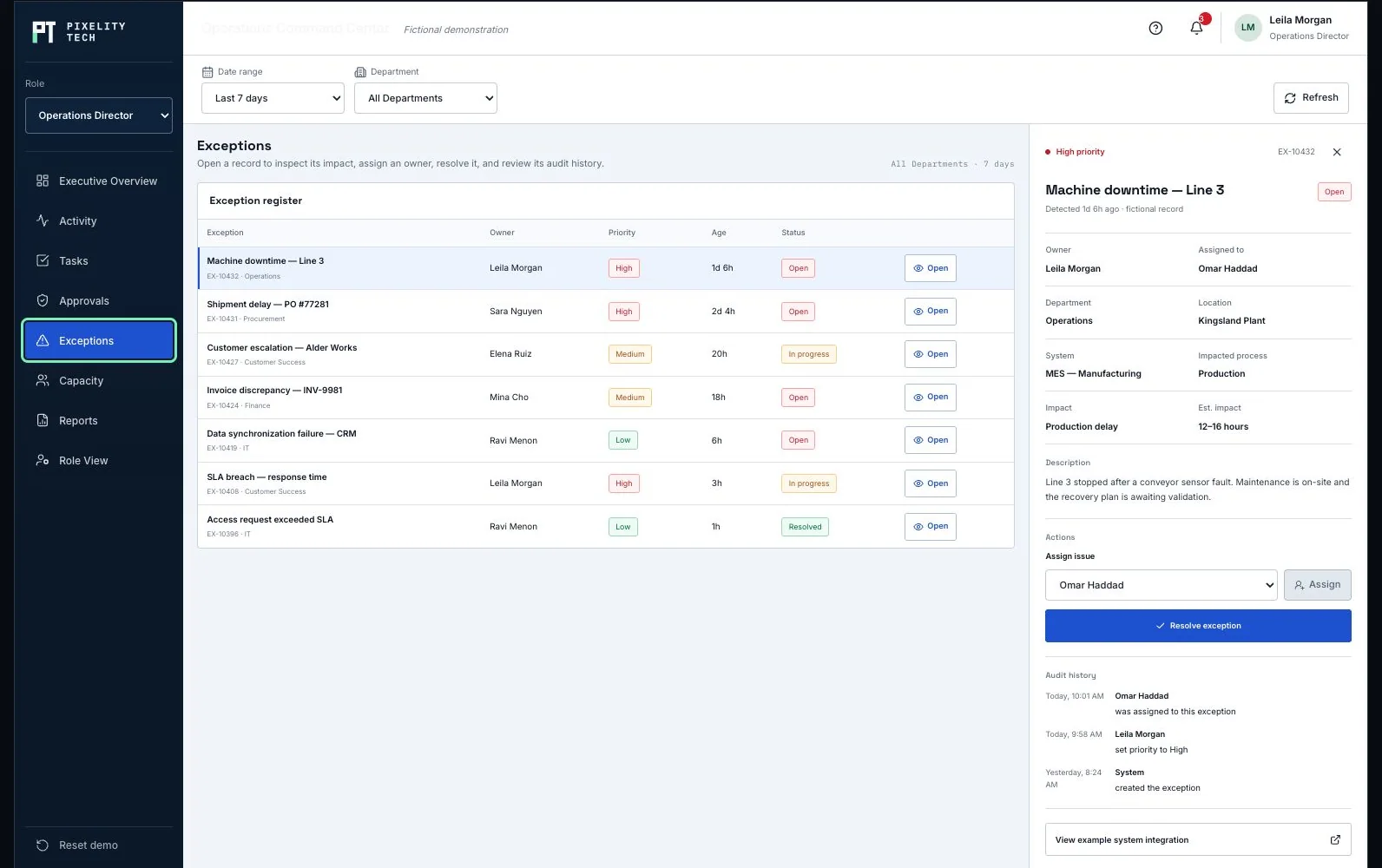
| Exception | Owner | Priority | Age | Status | Open record |
|---|---|---|---|---|---|
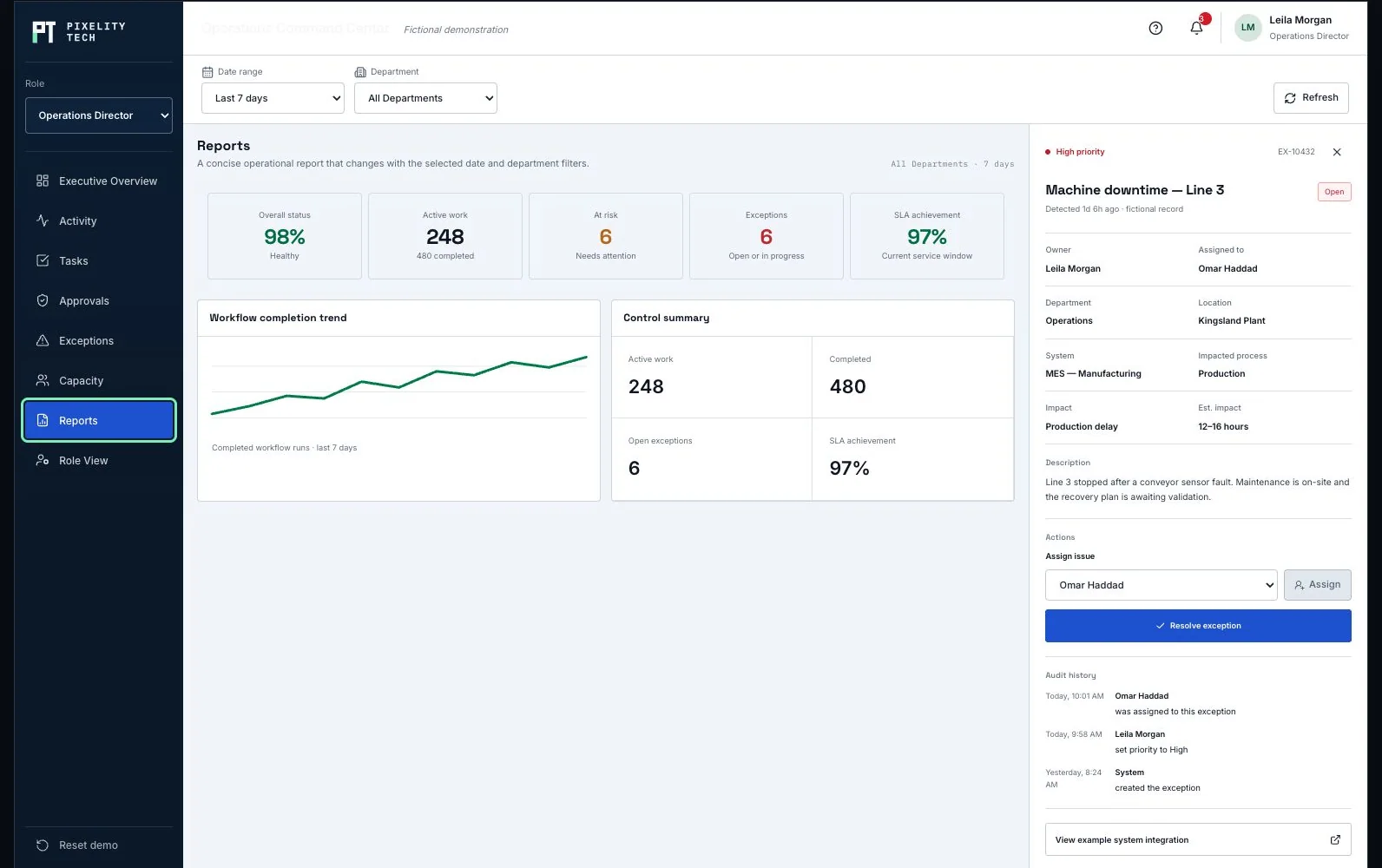
| Machine downtime — Line 3EX-10432 · Operations | Leila Morgan | High | 1d 6h | Open | |
| Shipment delay — PO #77281EX-10431 · Procurement | Sara Nguyen | High | 2d 4h | Open | |
| Customer escalation — Alder WorksEX-10427 · Customer Success | Elena Ruiz | Medium | 20h | In progress | |
| Invoice discrepancy — INV-9981EX-10424 · Finance | Mina Cho | Medium | 18h | Open | |
| Data synchronization failure — CRMEX-10419 · IT | Ravi Menon | Low | 6h | Open | |
| SLA breach — response timeEX-10408 · Customer Success | Leila Morgan | High | 3h | In progress | |
| Access request exceeded SLAEX-10396 · IT | Ravi Menon | Low | 1h | Resolved |
Daniel Okaforupdated Shipment delay — PO #77281
Sara Nguyenapproved a supplier onboarding check
Leila Morganassigned Machine downtime — Line 3
Elena Ruizstarted Customer escalation — Alder Works
Noor Ibrahimresolved Access request exceeded SLA
Mina Choreconciled the weekly invoice exception batch
All records and organizations in this demonstration are fictional. Actions update local browser state only; no data is transmitted or persisted.
Product views
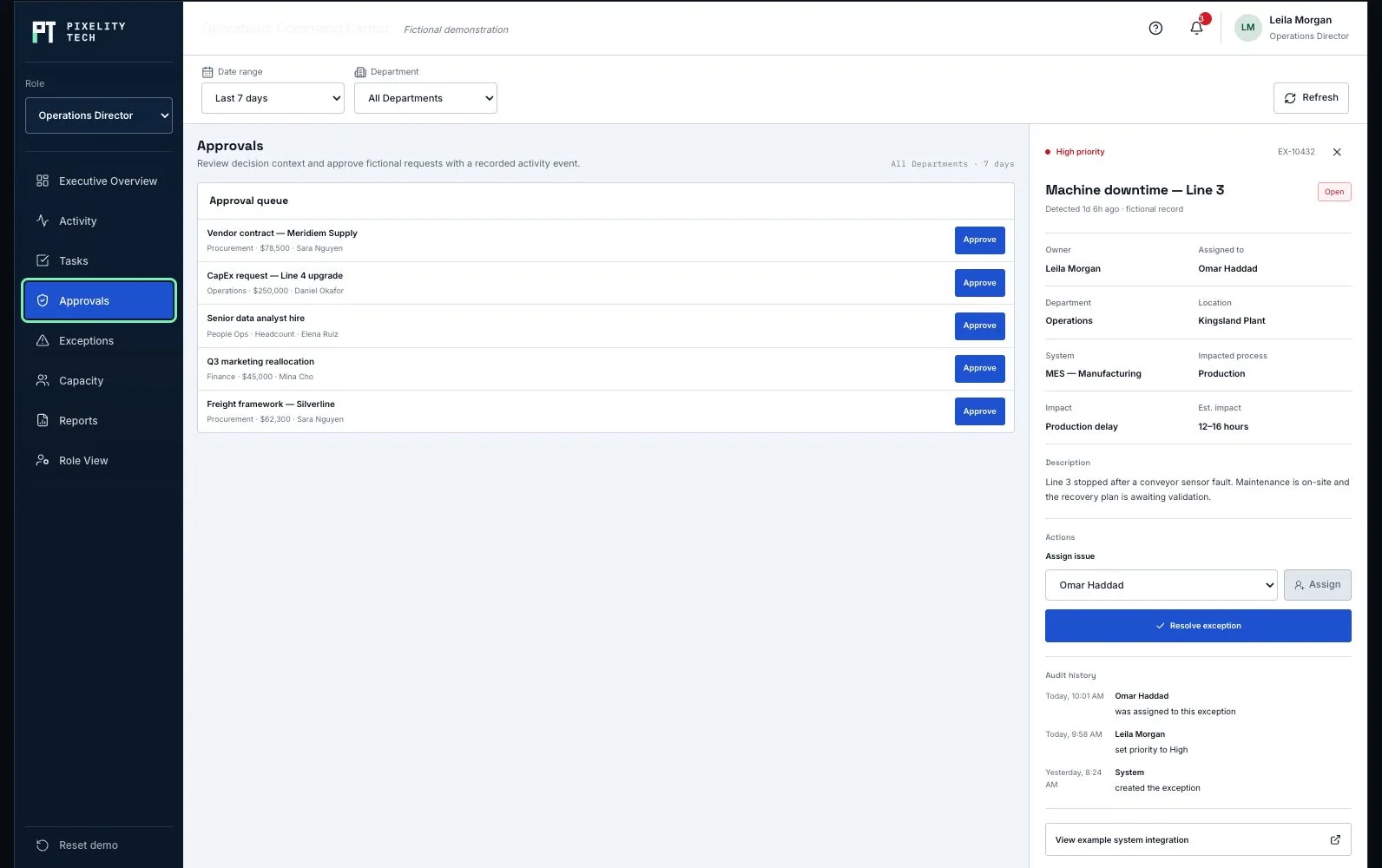
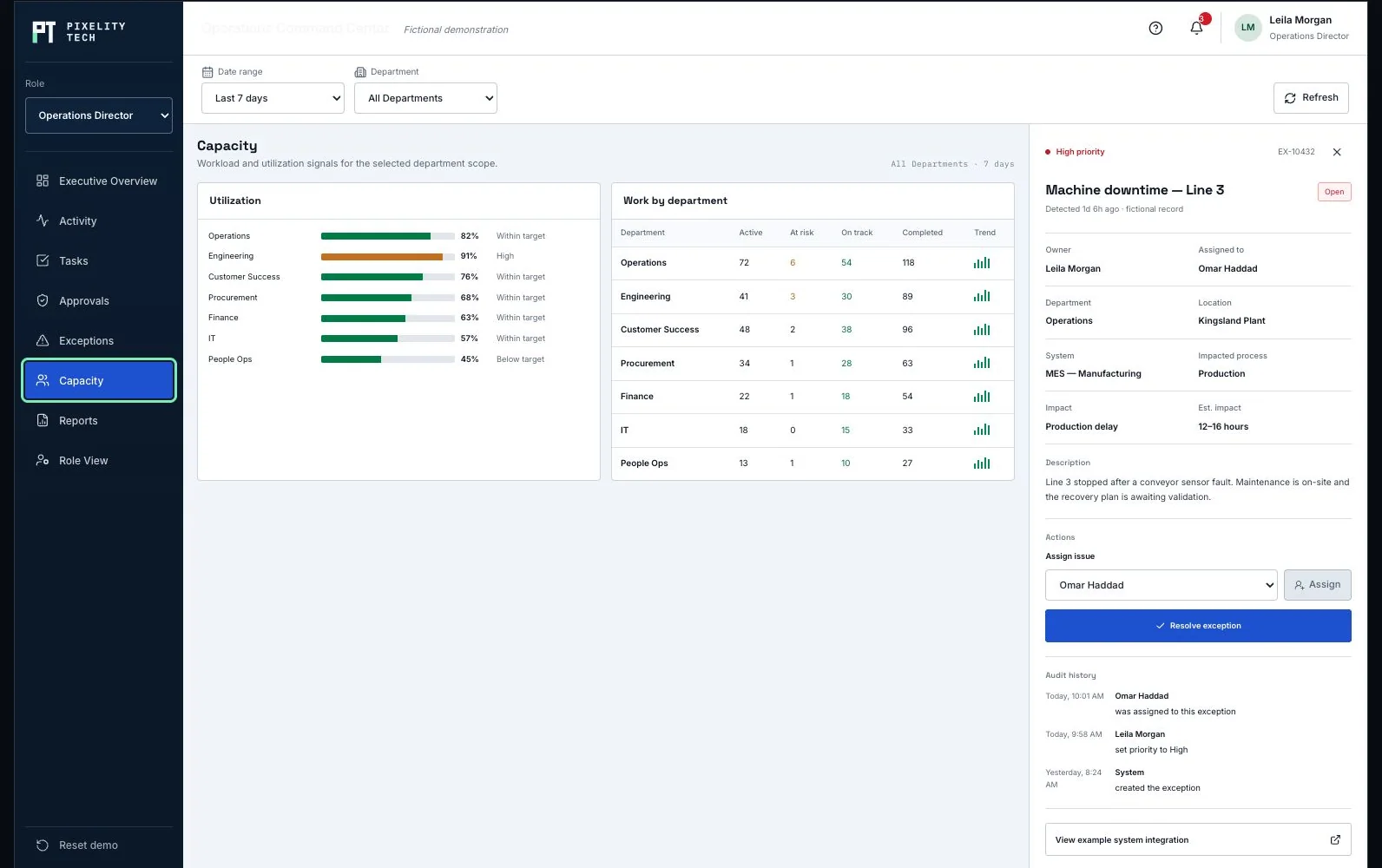
Captured from the interactive application above. Every organization, person, value, and record shown is fictional.
01
Important activity is often split across task tools, inboxes, spreadsheets, ERP screens, and informal follow-up.
A leadership dashboard is only useful when the team can move from signal to action without rebuilding the context.
02
The demonstration is fully local and resettable. Try this sequence to see how one action changes connected views.
Use the date, department, and role controls. Metrics, queues, work, exceptions, reports, and activity all respond to the selected scope.
Open Approvals or use the overview queue. Approval state changes immediately and a new event appears in Recent Activity.
Open any exception record, choose a new assignee, and confirm. Ownership, status, record audit, and global activity update together.
Resolve the exception, then return to Overview, Tasks, Activity, or Reports to see the resulting state reflected across the system.
03
The command center sits above the workflow. It does not replace the systems doing the work; it connects their important states and decisions.
Operational systems and people create structured work and events.
Rules detect thresholds, exceptions, and decisions that need attention.
Requests and exceptions move to the right role and department.
Owners approve, assign, resolve, or complete work in context.
Every important state change records who did what and when.
Reports expose recurring friction, risk, workload, and performance.
04
The same operating platform can adapt its scope, actions, and information density to the person using it.
Cross-department health, high-impact exceptions, approval exposure, capacity constraints, and performance.
Daily work, owners, blockers, local exceptions, deadlines, and the capacity of one operational team.
Financial approvals, invoice exceptions, supporting operational impact, and complete decision audit history.
05
Custom software earns its value in the details generic dashboards often ignore.
Route a request according to amount, department, budget, role, and supporting evidence.
Raise an exception when a workflow exceeds its SLA, loses an owner, or reports a high-impact failure.
Keep high-impact approvals and exception resolution human-reviewed, attributable, and auditable.
06
One possible implementation separates source systems, workflow logic, operational data, permissions, and the command interface.
The interface can read from established operational platforms while important commands pass through validated service boundaries. Authentication, permissions, approvals, and audit events remain enforced by the trusted backend—not only by the interface.
07
The integration set should follow the real operation. These are examples, not assumed requirements.
08
A real command center should reflect the decisions, terminology, exceptions, and responsibilities of the organization using it.
Multi-location operations, project delivery, field service, procurement, inventory, customer operations, or mixed environments.
Approval levels, SLAs, escalation paths, exception categories, ownership rules, and reporting definitions.
Executive, manager, reviewer, operator, partner, and mobile-field views built from the same trusted operating model.
Built around your operation
Tell us what the people making decisions need to see, and where the current tools stop helping.