Pixelity Tech / Field note
Custom Software Versus Off-the-Shelf Software
A practical way to decide whether your business should adapt to an existing product or invest in software designed around its operation.
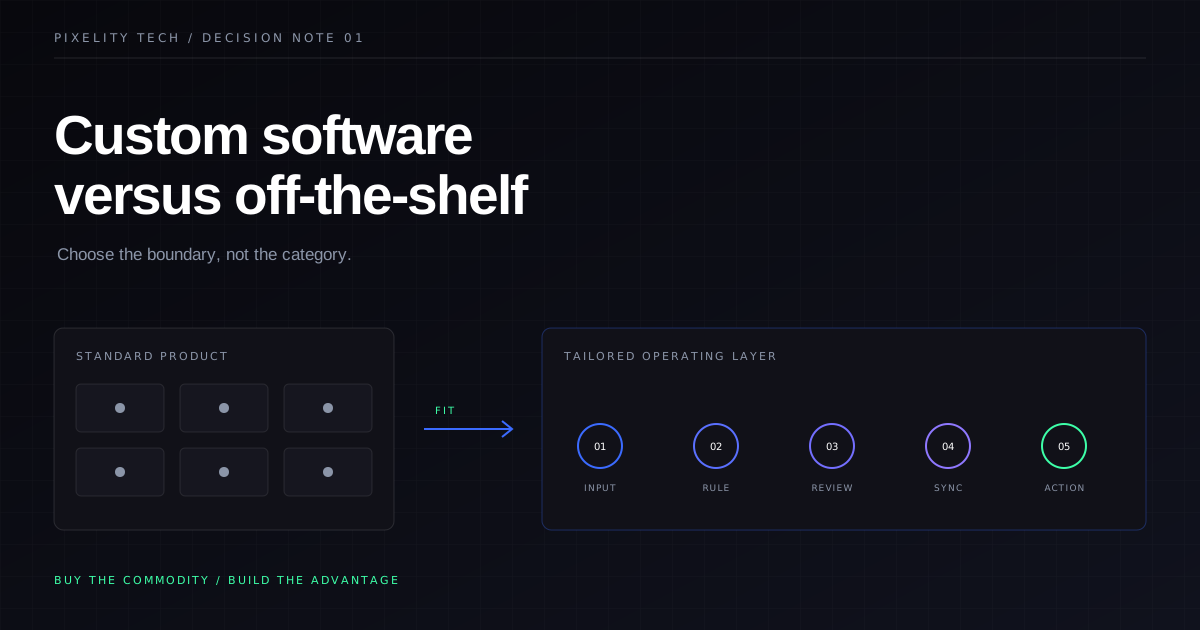
The choice between custom and off-the-shelf software is often reduced to a false trade-off: custom software is expensive but flexible; packaged software is cheap but limiting. Neither statement is reliably true.
A poorly scoped custom system can be expensive and rigid. A well-chosen product can support a business for years. Equally, an apparently inexpensive subscription can become costly once teams add consultants, workarounds, duplicate data entry, and several adjacent tools to make it fit.
The useful question is not “Which category of software is better?” It is:
Where should your business accept a standard way of working, and where does the way you operate deserve purpose-built software?
That distinction leads to a better decision.
Start with the process, not the product list
Before comparing vendors or requesting development estimates, describe the operational process the software must support.
Map the trigger, the people involved, the information they need, the decisions they make, the exceptions they handle, and the output the process must produce. Include the unglamorous parts: spreadsheet exports, email approvals, manual reconciliations, and the person who knows how to fix an unusual case.
This map exposes the difference between a generic requirement and an operational advantage.
Generic requirements are capabilities many businesses need in roughly the same form: authentication, invoicing, payroll, document storage, email delivery, or a conventional sales pipeline. Buying mature software for these is usually sensible.
Operationally distinctive requirements describe how your company coordinates work, prices an unusual service, manages complex approvals, combines information, or serves customers differently. Forcing these into a generic product can remove the very advantage the system is meant to support.
If the process is not clear, neither a vendor comparison nor a custom specification will be trustworthy. Pixelity’s custom software approach starts here for that reason.
When off-the-shelf software is the stronger choice
Choose an existing product when most of the following are true:
- Your requirements are common and well understood across the market.
- You are willing to adopt the product’s standard workflow.
- The vendor already handles regulatory, security, or accounting complexity that would be wasteful to recreate.
- The product can exchange data through documented APIs or reliable exports.
- Configuration covers your real needs without turning into a fragile collection of plug-ins and exceptions.
- The cost remains reasonable as users, data volume, and required modules grow.
- Leaving later would be possible because you can retrieve your data in a usable form.
Buying is especially attractive when the software supports a necessary but non-differentiating function. A company rarely gains an advantage from inventing its own calendar, password manager, or payroll engine.
The discipline is to buy the product as it is. If your evaluation assumes extensive customization, several middleware services, and a parallel spreadsheet, you are no longer making a simple off-the-shelf purchase. You are assembling a system around a product that may not fit.
When custom software earns its place
Custom software becomes credible when the process itself matters strategically or operationally.
Common signals include:
- Staff repeatedly translate data between tools before they can act.
- Important decisions depend on rules that generic products cannot represent clearly.
- Customers or suppliers need a workflow that reflects your service, not the vendor’s template.
- Existing tools create duplicated records and uncertain ownership.
- The business has to coordinate several teams, locations, or systems in one operational view.
- Product limitations are blocking a defensible way of working.
- You need to control the roadmap, data model, deployment environment, or integration behavior.
The strongest custom systems do not recreate every commodity capability. They provide a tailored operational layer and connect to dependable products underneath it. A custom operations platform might integrate with an accounting package, identity provider, and payment service rather than rebuilding them.
That hybrid architecture is often the right answer: buy stable commodities, build the coordination and decision layer, and integrate the two deliberately. Our custom software service is structured around that principle.
Compare the whole system cost
License price and development price are not directly comparable. One is a recurring product fee; the other is an investment in creating and maintaining an asset. A useful comparison covers the same planning period and includes the surrounding work.
For an off-the-shelf option, account for:
- subscriptions, modules, storage, and usage charges;
- implementation and configuration;
- data migration and integration;
- consultants or vendor support;
- staff time spent on workarounds and duplicate entry;
- the cost of retaining parallel systems;
- likely price changes as usage grows;
- switching and data-extraction effort.
For a custom option, account for:
- discovery and workflow design;
- product design and engineering;
- integration and migration;
- testing, security, deployment, and training;
- hosting, monitoring, support, and maintenance;
- future changes as the business evolves;
- the internal product owner time needed to make decisions.
Some costs are difficult to express precisely, but they still belong in the decision. If a process causes slow customer responses, unreliable planning, or compliance uncertainty, document the consequence instead of pretending it is zero.
Test fit with operational scenarios
Feature checklists favour products with the longest marketing pages. They do not reveal whether the software works under real conditions.
Write a small set of representative scenarios and ask every option to handle them end to end. For example:
- A standard request enters with complete information.
- A request is missing a required document.
- An approver is unavailable and authority must be reassigned.
- A customer changes a requirement after work begins.
- Finance needs to reconcile the completed work with an invoice.
- A manager needs to understand what is delayed and why.
For a packaged product, use these scenarios in a configured trial with realistic sample data. Do not accept a sales demonstration built around the vendor’s happiest path.
For custom software, use them to define a prototype or narrow first release. Pixelity’s operations command center demo illustrates how connected operational states can be represented without pretending that every business uses the same workflow.
Watch for the two common failure modes
The first is customizing too early. A team assumes its current process is unique when it is actually inconsistent. It then pays to encode every historical exception. The result is bespoke software that preserves avoidable complexity.
Before building, simplify the process. Remove steps with no clear owner or purpose. Standardize where standardization is harmless. Custom software should fit the business you intend to run, not fossilize every workaround you use today.
The second is buying beyond the point of fit. A team chooses a well-known platform and spends years adapting the operation around it. Because the initial purchase felt safer, each additional workaround is treated as a local inconvenience rather than evidence that the system boundary is wrong.
Set review conditions before selecting a product. Decide which workflows must remain clean, which integrations must be reliable, and which limitations would trigger a move to another product or a custom layer.
A decision rule that holds up
Use off-the-shelf software for common capabilities when adopting its model is acceptable. Use custom software where the workflow, data, or experience is important enough to control. Combine them when the business needs a tailored operational layer without rebuilding mature infrastructure.
Then make the decision at the level of a process, not an entire company. You may buy finance software, configure a CRM, and build a custom fulfilment system. “Custom versus off-the-shelf” is rarely one decision. It is a series of boundaries.
If your current boundary has produced workarounds rather than clarity, explore how systems integration can connect the useful products you already have, or map the workflow before choosing the next one.
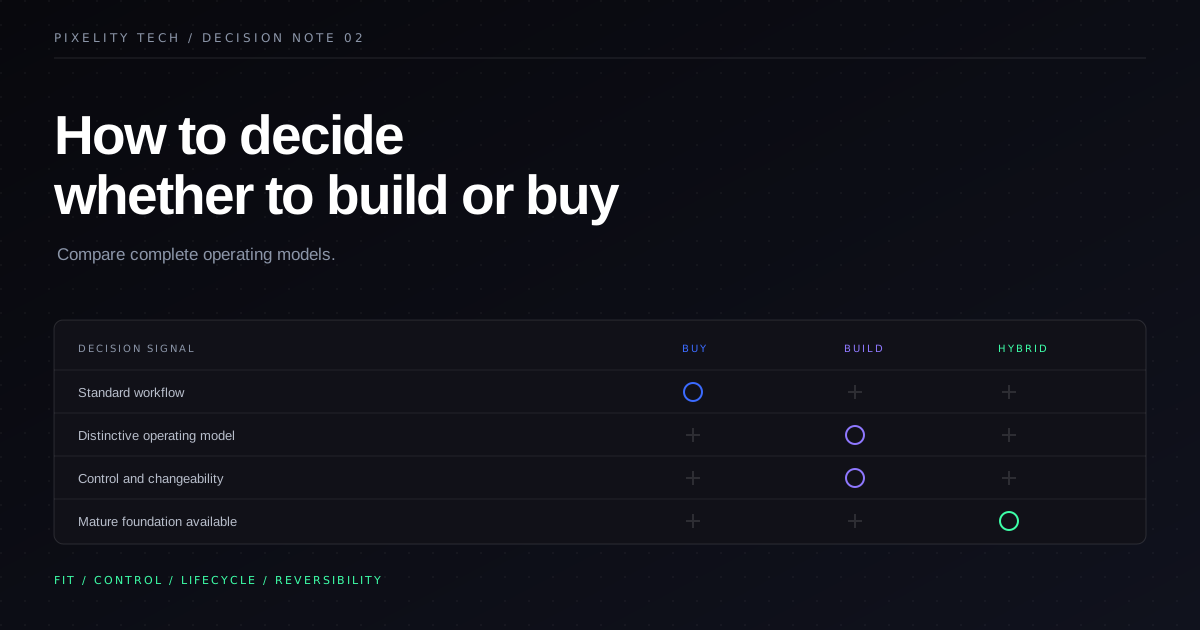
How to Decide Whether to Build or Buy
A build-or-buy framework for teams that need to compare strategic fit, lifecycle cost, delivery risk, and the ability to change later.
Read field note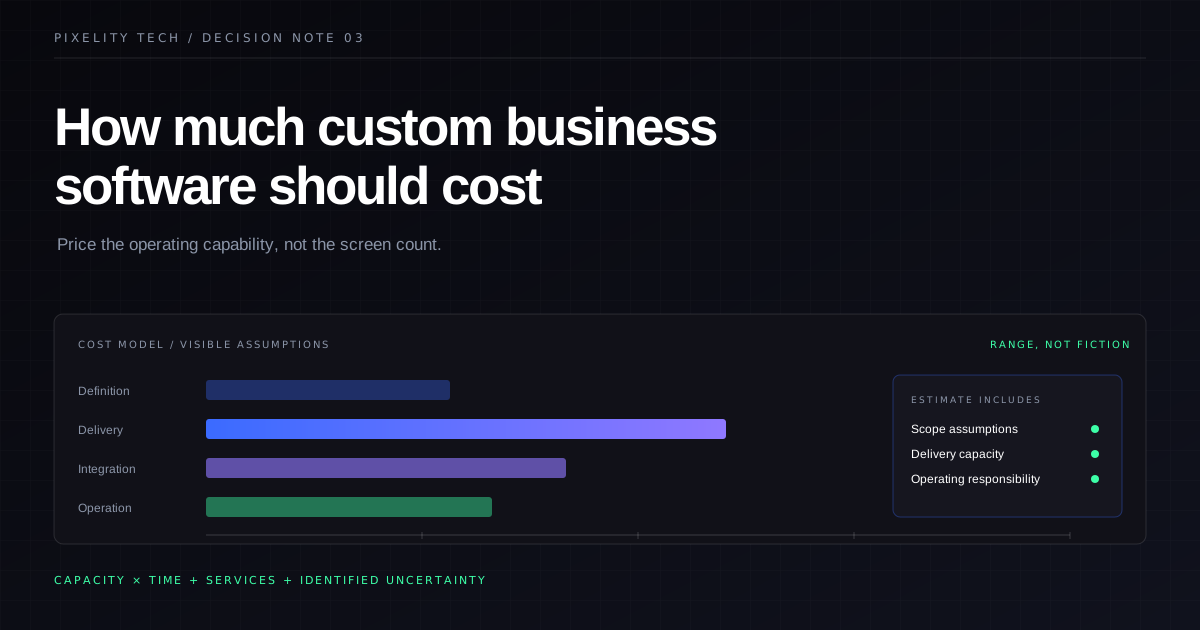
How Much Custom Business Software Should Cost
What a credible custom-software budget includes, which variables move it, and how to compare estimates without rewarding false precision.
Read field note