Pixelity Tech / Field note
Seven Signs Your Company Has Outgrown Spreadsheets
Spreadsheets are excellent tools until they become an unofficial operating system. These seven signs show when a process needs a governed business system instead.
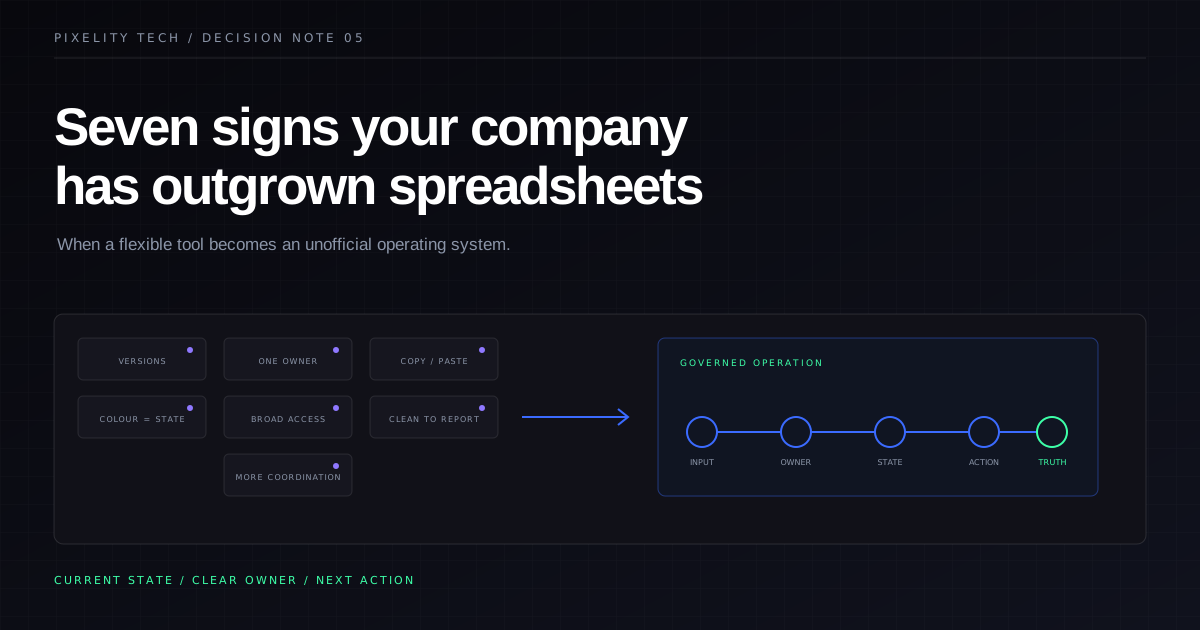
Spreadsheets are not a problem to eliminate. They are flexible, widely understood, and often the fastest way to explore a process before it deserves software.
The problem begins when a spreadsheet stops supporting the operation and quietly becomes the operation.
At that point, important work depends on file names, copied formulas, color conventions, private knowledge, and someone remembering which tab to update. The spreadsheet may still look functional, but the business around it is absorbing the cost through reconciliation, delay, uncertainty, and risk.
Here are seven signs that the boundary has been crossed.
1. Nobody can identify the current version with confidence
The same workbook exists in email, shared storage, personal folders, and exported attachments. Names such as “final,” “final-v2,” and “updated” have become part of the process. People ask which copy to use before they can begin work.
This is not merely a file-management issue. It means the process lacks a single governed state. Changes can be overwritten, decisions can be based on stale information, and responsibility for resolving conflicts is unclear.
A shared online workbook can reduce duplicate files, but it does not solve every version problem. If teams still create extracts for different purposes or if rows represent several kinds of operational objects at once, the underlying model may need to change.
2. The workbook depends on one person’s memory
One colleague knows why a formula skips certain rows, what the orange highlight means, which values must be pasted rather than imported, and how to repair the monthly roll-forward. The process works because that person supplies context the spreadsheet cannot express.
This dependency often stays invisible until the person is unavailable or the volume increases. Documentation helps, but a long operating guide may be evidence that the tool cannot enforce the workflow.
A business system should make important states, rules, and next actions explicit. It should not require every user to inherit the original author’s mental model.
3. People copy data between systems to keep work moving
Customer details come from a CRM, prices from another workbook, delivery dates from email, and invoice status from accounting. Someone combines the information manually, then distributes another file to the people who need to act.
Manual transfer creates more than typing effort. It introduces delay, uncertain freshness, inconsistent identifiers, and no dependable way to trace a value back to its source.
The answer is not always one large replacement platform. It may be a focused operational layer that connects existing systems, applies clear ownership rules, and gives users the combined view required for a decision. Pixelity’s systems integration service addresses this pattern without assuming every useful product should be discarded.
4. Status is encoded through formatting and interpretation
Color, bold text, blank cells, comments, and position in a tab carry operational meaning. “Green” may mean approved, complete, or simply reviewed, depending on the team. A blank date may mean not started, not applicable, or forgotten.
Formatting is useful for presentation. It is weak as a state model because software cannot reliably enforce what each visual cue means or which transitions are allowed.
A proper workflow defines named states and the conditions for moving between them. It can show who changed the state, when, and why. It can also separate an exception from an ordinary item rather than relying on someone noticing a red cell.
5. Permissions are broader than the process allows
Spreadsheets tend to offer access at the file or sheet level. Business processes often need more precise boundaries: suppliers should see only their records, managers can approve within limits, finance can update payment state, and auditors can view history without editing it.
When a workbook contains information for several customers, teams, or legal entities, copying tabs into separate files may feel like access control. It is actually a manual data-distribution process with a high chance of disclosure or inconsistency.
If permission rules are important to trust, compliance, or commercial separation, they should be enforced by the system rather than by file-handling instructions.
6. Reporting requires stopping the operation to clean it
Before leaders can review performance, someone merges tabs, normalizes names, fills missing categories, removes duplicates, and explains why the total differs from another report. The reporting cycle becomes a recurring data-repair project.
This indicates that data is being captured for immediate local use rather than as a consistent operational record. The report is not the first place to fix the problem. Definitions, identifiers, required fields, and ownership need to be corrected where work enters the process.
A governed system can still allow flexible analysis and spreadsheet exports. The difference is that the export begins with defined, traceable data rather than becoming the place where truth is reconstructed.
7. Growth creates more coordination, not more throughput
Adding customers, locations, or employees produces more tabs, more consolidation, more check-in meetings, and more messages asking for updates. People spend increasing effort coordinating the tool instead of completing the work.
This is the clearest sign that spreadsheet flexibility has become a scaling constraint. The workbook does not represent queues, ownership, dependencies, and exceptions in a way the wider organization can operate consistently.
A business system can coordinate these elements through assigned work, state transitions, notifications, shared records, and exception views. The operations command center demo visualizes this shift from rows that need interpretation to work that has explicit status and ownership.
What to build instead
Do not begin by converting every column into a database field. The workbook contains several layers mixed together:
- source data imported from elsewhere;
- operational records created by the team;
- formulas that express business rules;
- formatting that represents state;
- notes that capture exceptions;
- summaries used for decisions;
- historical remnants nobody wants to delete.
Separate these layers before designing a replacement.
Map one workflow from trigger to outcome. Identify the real entities—perhaps customers, orders, jobs, approvals, or documents—and give each a stable identity. Define which system owns each field. Name the allowed states and transitions. Decide which exceptions need human review. Then design the views and actions each role needs.
The first release should replace one complete piece of operational work, not every spreadsheet in the company. A narrow system used in production will teach you more than a broad specification based on assumptions.
What not to replace
Keep spreadsheets where flexible, personal analysis is the goal; where the work is short-lived; where the data is small and non-sensitive; or where the process is still being discovered.
Even after a business system is introduced, users may reasonably export governed data for modelling or presentation. The objective is not to ban spreadsheets. It is to stop asking them to provide workflow control, permissions, audit history, integration, and shared operational truth at the same time.
A practical transition plan
- Inventory the workbooks. Identify owners, users, inputs, outputs, formulas, macros, links, and downstream reports.
- Choose one operational workflow. Prefer a painful but bounded process with a committed owner.
- Observe actual use. Include workarounds and exception handling, not only the intended procedure.
- Define the source-of-truth boundary. Decide what the new system owns and what remains in connected products.
- Prepare representative data. Profile quality and resolve business meaning before migration.
- Deliver a production-ready slice. Include permissions, history, monitoring, support, and recovery—not only forms and tables.
- Run a controlled transition. Reconcile old and new records, train users on the workflow, and retire duplicate update paths once confidence is established.
Pixelity’s business systems service provides a starting point for this transition. The right outcome is not a more impressive spreadsheet. It is a system that makes current state, ownership, and the next decision clear.
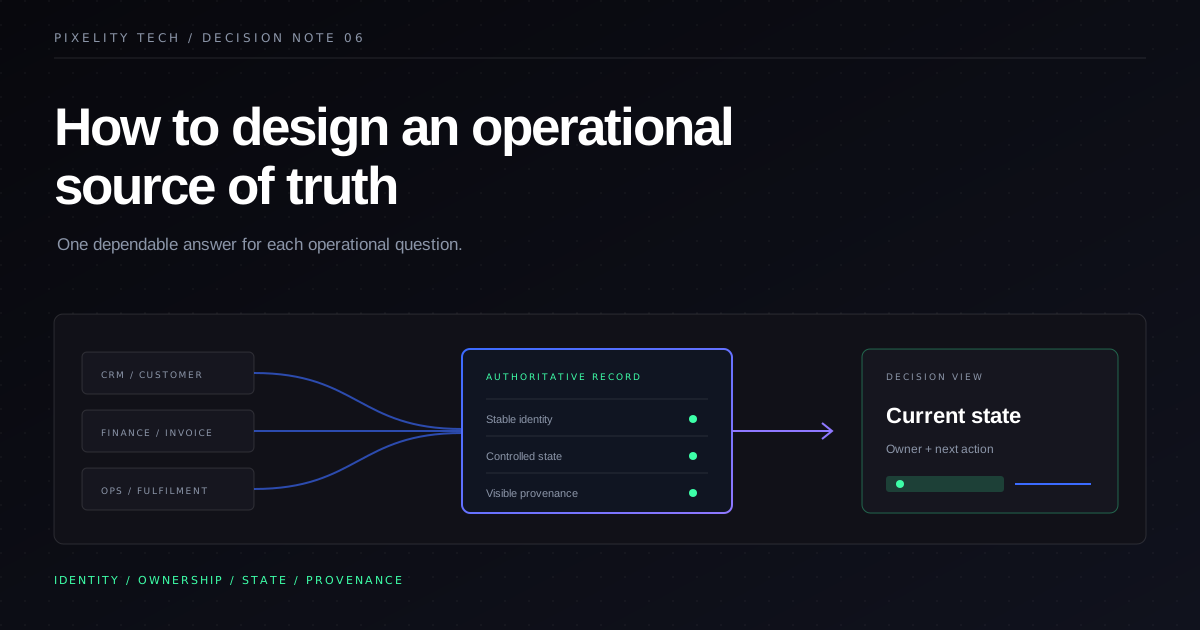
How to Design an Operational Source of Truth
A source of truth is an ownership model, not a dashboard. Learn how to define authoritative data, workflow state, provenance, and reconciliation across business systems.
Read field note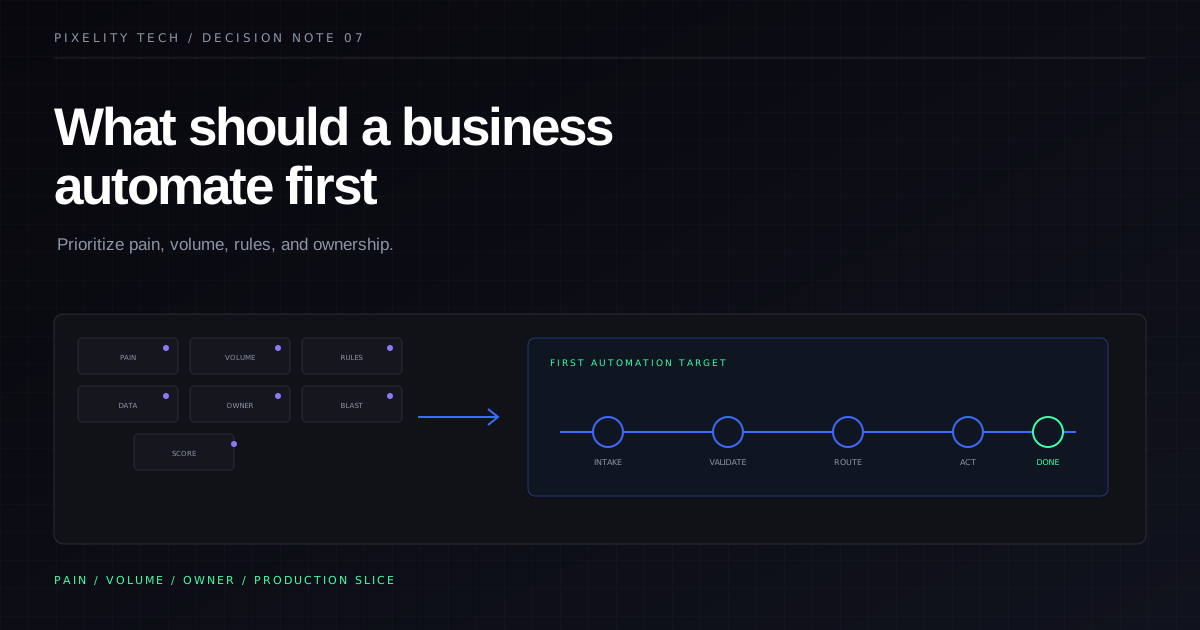
What Should a Business Automate First?
Automation should follow pain, not ambition. Use this prioritization framework to choose the first workflow worth automating without overbuilding.
Read field note