Keep spreadsheets for analysis. Move the process.
A spreadsheet is still the fastest way to answer a question. It becomes a liability when the same file also has to run the workflow, hold permissions and be the shared truth. Those jobs need a system; the analysis can stay.
- 01Capture
- 02Assign
- 03Track
- 04Approve
- 05Report
Start with the one file where a wrong version costs the most. Everything else can stay a spreadsheet.
The file quietly became the system of record
It began as a tracker for one team. Now it routes work between teams, records decisions, tells the rest of the business what is true, and stays open to everyone who might need a row. A spreadsheet enforces none of that: no roles, no defined states, no history, and no way to prove which version was current when a decision was made.
How the problem shows up day to day.
- 01
Routing happens in chat
The file cannot assign work, notify the next person, or hold a due date, so coordination moves to messages the file never sees.
- 02
Access is all or nothing
Everyone who needs one row can edit every row, and a broken formula or an overwritten cell arrives with no name attached.
- 03
Nobody can prove what was true
When a status, amount, or date is disputed, there is no history behind it and several copies of the file that could each be current.
How work moves today.
- 01
Request arrives informally
Email, chat, or a phone call becomes a row that someone types in later, from memory.
- 02
Status lives in cell color or comments
Progress is implied by formatting rather than a defined state with an owner and a date.
- 03
Handoffs happen outside the file
The next team learns about work through messages, because the file cannot route anything to anyone.
- 04
Weekly export for management
Someone exports, cleans, and pivots the same data every week to produce a number the system should already hold.
How the same work moves once the system holds it.
- 01
Structured intake
Requests enter through a form or an integration with required fields, so a record cannot start incomplete.
- 02
Defined states and owners
Every record carries a status, a responsible person, a due date, and the history of how it got there.
- 03
Permissions by role
People change the fields their role covers; everything else stays visible without being editable.
- 04
Live operational views
Backlog, aging, and exceptions come from the operational records themselves, with no export step in between.
What has to be built for that to hold.
- 01
Record model
Entities, states, and ownership rules that match how the work actually moves. For one retail group, this consolidated 50+ Excel files into a single PostgreSQL source of truth and eliminated 100% of the spreadsheet formula errors.
- 02
Role-based interface
Each role gets the fields, actions, and edit rights its part of the process needs, and no more.
- 03
Reporting layer
Metrics and drill-down built on the records people operate every day. In that same retail group, manual consolidation went from hours to seconds.
Screens from a related demonstration.
Captured from Pixelity's fictional product demonstrations. Organizations, people, and records shown are synthetic.
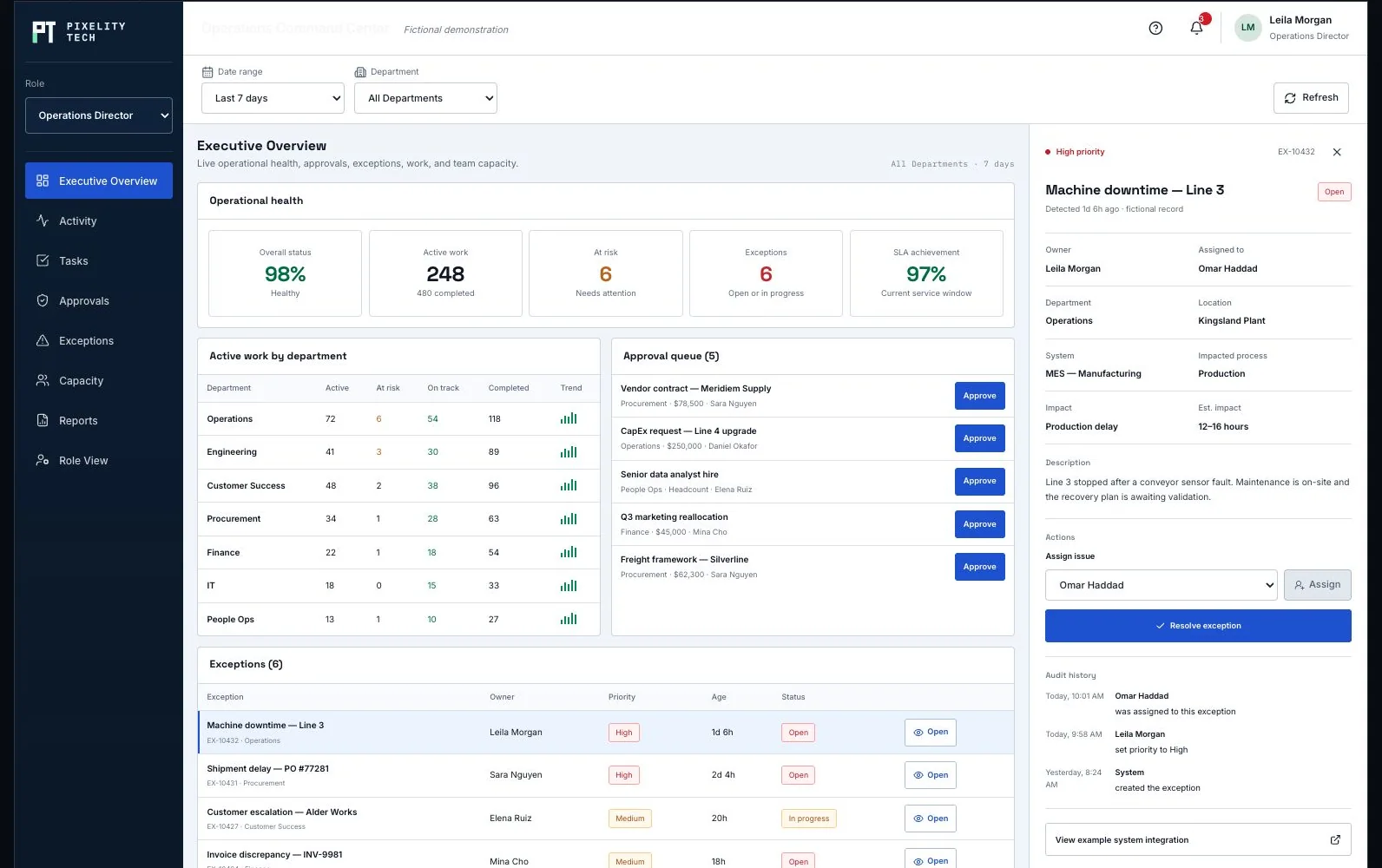
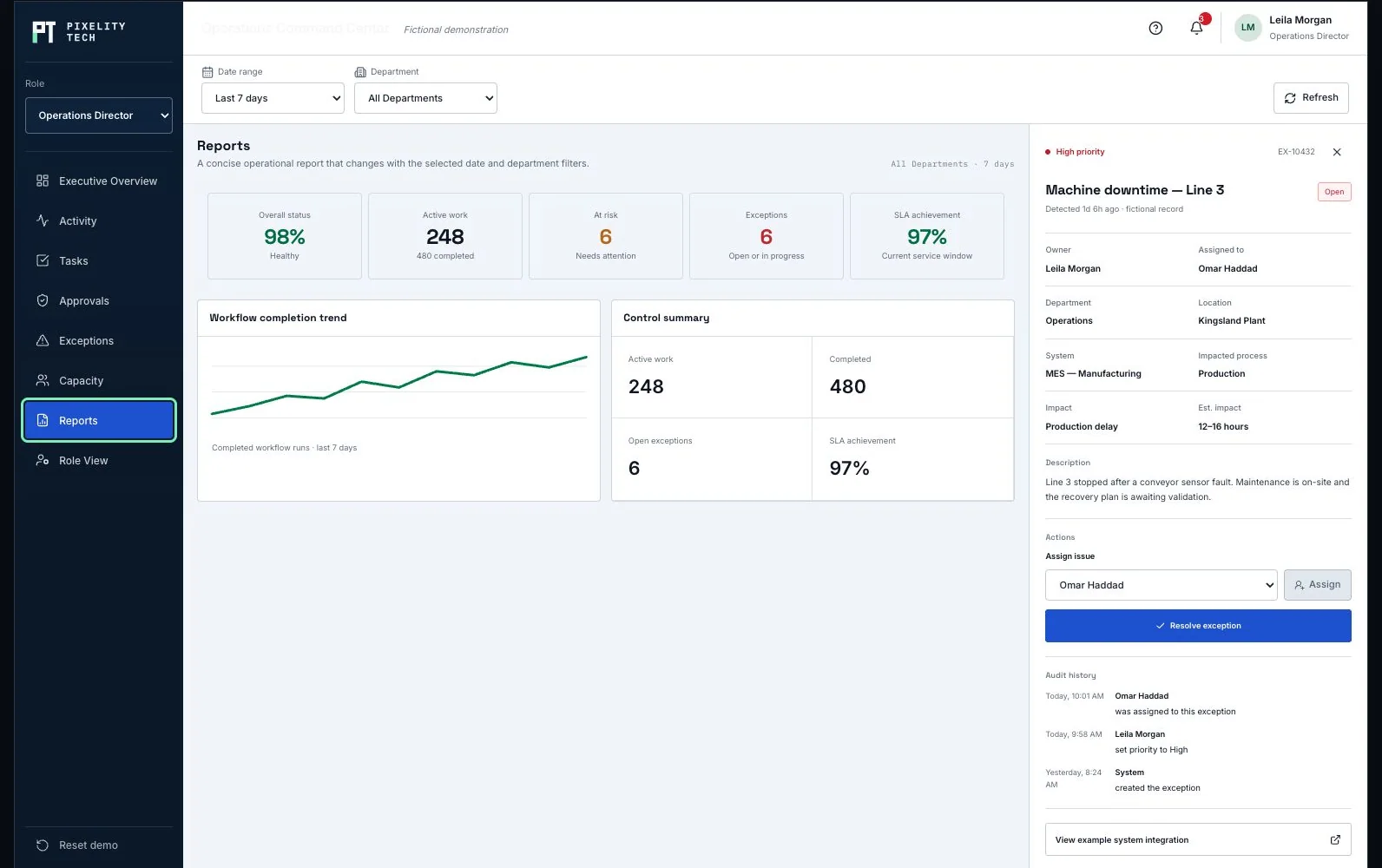
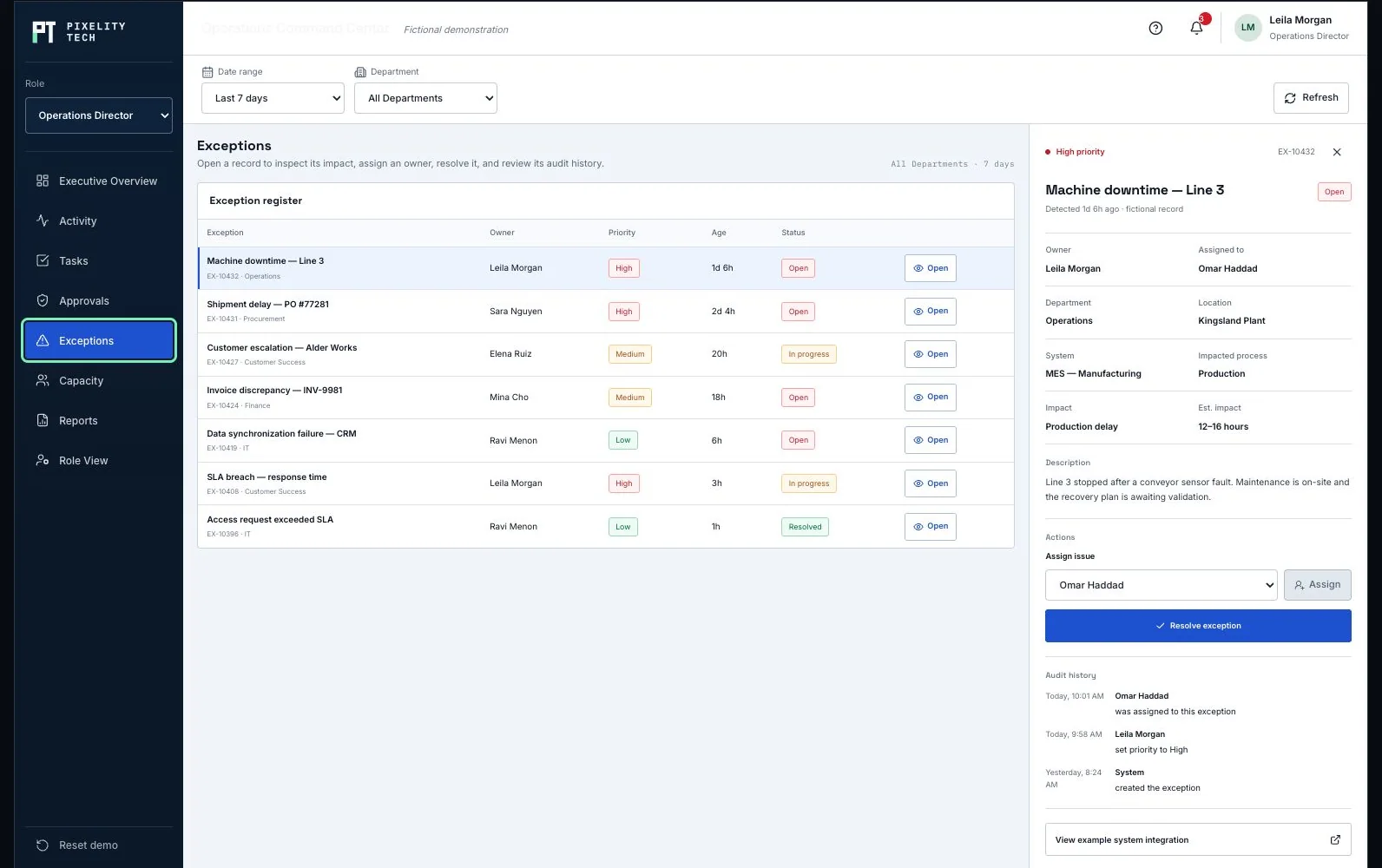
Operations Command Center
See how activity, responsibilities, approvals, exceptions, and reporting replace spreadsheet coordination.
Open the demonstration- 01Record
- 02Owner
- 03Status
- 04Exception
- 05Report
The kinds of system this usually becomes.
Adjacent problems that often appear together.
Articles that help frame the decision.
Tell us the process everyone works around.
Describe it in a sentence or two. We will come back with what we would build first, what it would take, and whether you actually need us for it.