Requester
Submits work, sees where it stands, and supplies what is missing without asking anyone for an update.
Someone who runs a workflow well follows the rule most of the time and departs from it when the case warrants. A good tool runs the repeating path on its own and gives every departure an owner and a record.
One workflow held properly is usually worth more than a platform the whole company has to be talked onto.
An internal tool is software built for a defined team and a defined process. It captures the request with the context the decision needs, applies the checks that always apply, routes what only a person can judge, and reports where work is stalling. It stays small on purpose: no unrelated modules, no configuration debt, nothing anybody has to work around.
The workflow runs well because someone experienced knows the priorities, the exceptions, and who to ask. It runs badly the week they are on leave, and it does not survive them leaving.
Configuration offers only the fields it has, so anything unusual is forced into the nearest option and the reason it was unusual disappears. Licensing and training the whole company is a heavy price for that.
Work waits between people with no queue, no owner, no deadline, and no state anyone else can see. Nothing is wrong; nothing is moving either.
Requests arrive with the fields their category actually needs, take the priority the rule sets, and get an owner and a deadline—while anything the rule cannot classify goes to a person rather than to the bottom of a default queue.
Pixelity built Wazzan Holding a short-term-rental cleaning operations platform where scheduling respects conflicts, travel, and leave, and completion is evidenced by photo—the constraints a good coordinator holds in their head, written where the whole team can work from them.
Required steps, evidence, and sign-off tracked per case, with a departure from the standard path recorded as an exception somebody owns rather than as a blank field.
Captured from Pixelity's fictional product demonstrations. Organizations, people, and records shown are synthetic.
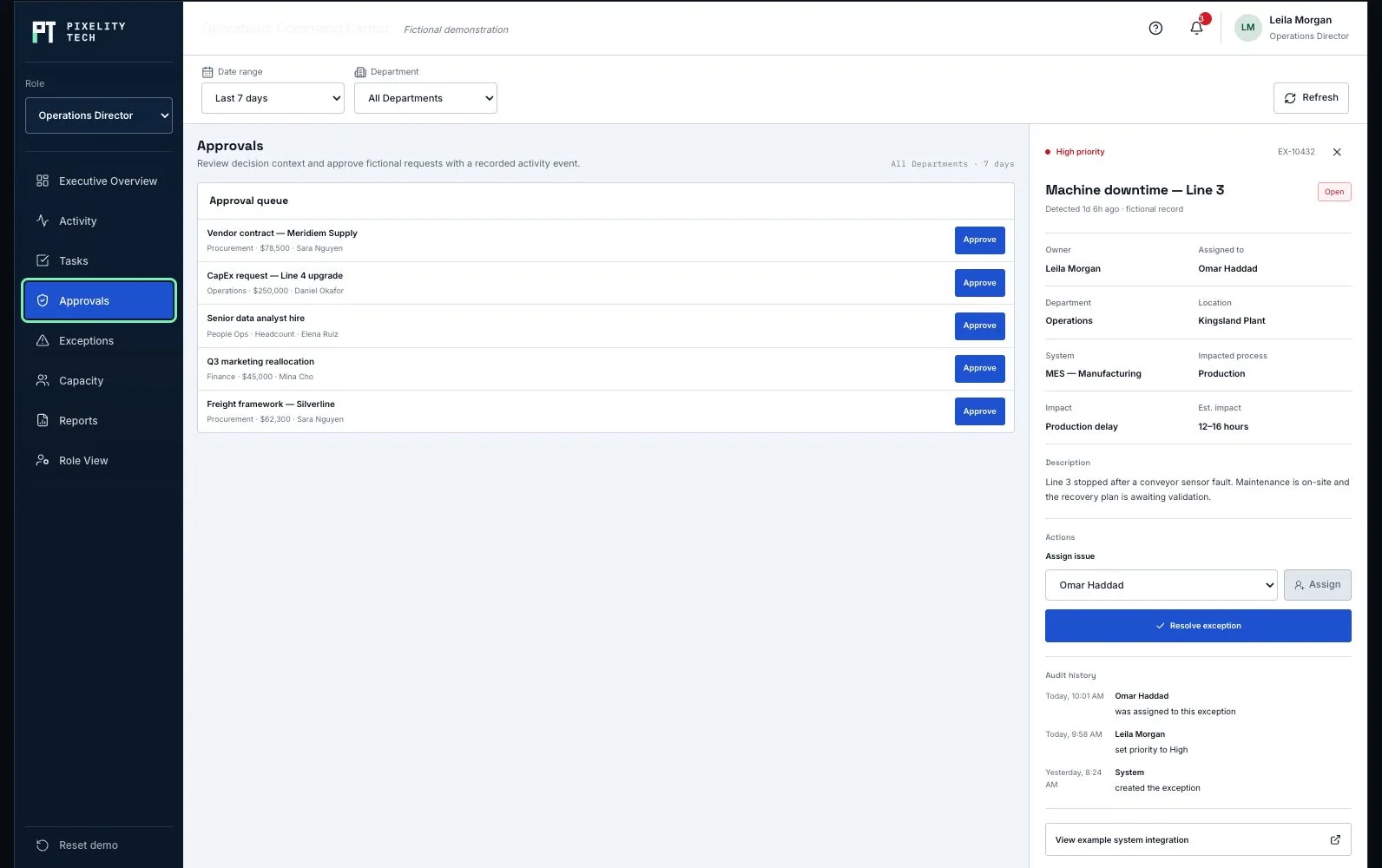
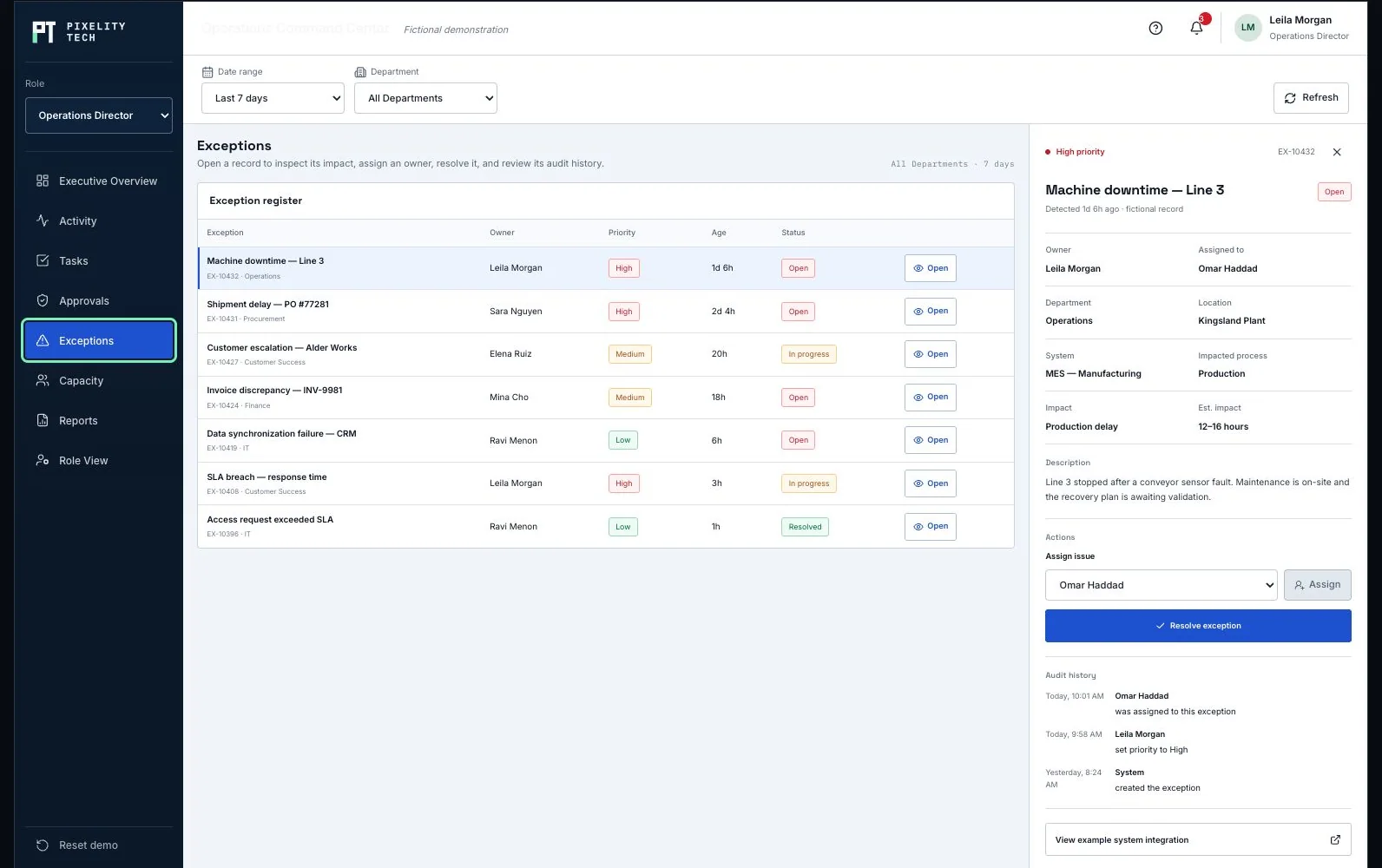
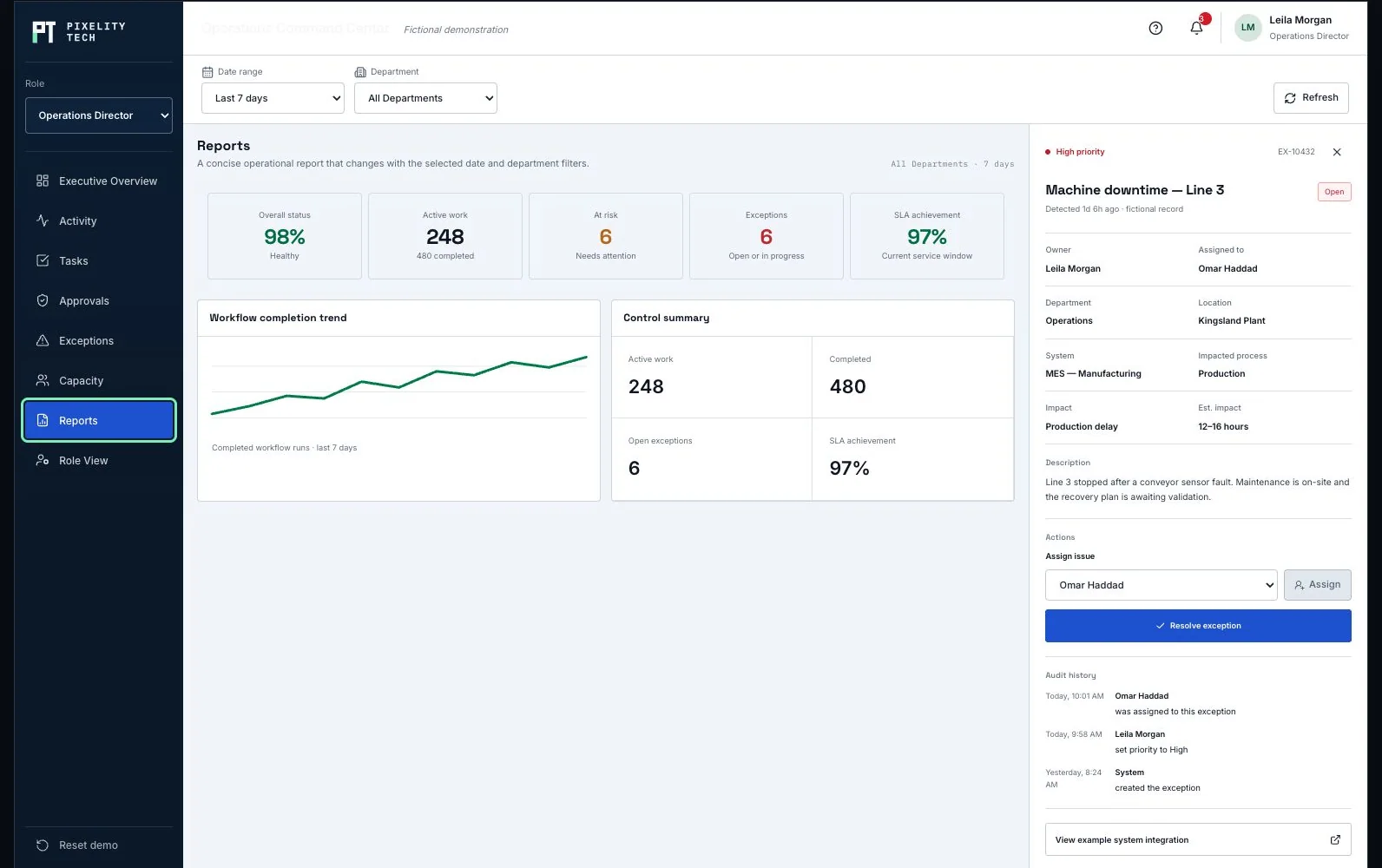
Fields and validation shaped per request type, so work arrives complete instead of starting a round of clarifying questions.
A visible backlog with assignment, due dates, and escalation the moment something stops moving.
The checks that always apply run automatically. The case that does not fit goes to a named person with the reason recorded, rather than being forced into the nearest option.
Volume, aging, completion, and the point where work reliably stalls—built for the person who has to fix it, not exported for someone else to read.
Submits work, sees where it stands, and supplies what is missing without asking anyone for an update.
Triages, assigns, and resolves within a defined authority, and escalates the cases that sit above it.
Watches backlog, capacity, and aging, and reads which exceptions keep recurring—usually the signal that the rule itself needs changing.
Identity provider for staff sign-in and role assignment, so joining or leaving a team is one change rather than two.
Notification channels for assignment, escalation, and completion, delivered where the team already works.
Upstream systems that originate the requests or hold the records the tool has to reference.
Reporting or data warehouse exports when the numbers have to join a consolidated view.
Staff-only access with clear boundaries between requesting, operating, and administering the tool.
Audit history on status changes, assignments, and sensitive edits, so an exception can still be explained months later.
Retention and export rules set by internal policy rather than by a vendor default.
Separate test and production environments, so a change to the rules is tried before the team meets it.
A fictional operating product holding the same parts in one place: activity, ownership, approvals, exceptions, and the reporting above them.
Open the demonstrationDocument users, records, decisions, exceptions, integrations, and the smallest release that creates measurable operational value.
Prototype the real screens, permissions, and rules so stakeholders react to a visible system before engineering scope hardens.
Deliver one dependable workflow at a time with testable data, ownership, and reporting—not a long hidden build cycle.
Train users on the live workflow, monitor exceptions and adoption, and extend the platform only when the foundation is stable.
Describe it in a sentence or two. We will come back with what we would build first, what it would take, and whether you actually need us for it.