Pixelity Tech / Field note
When Not to Automate a Process
Automation is not always the right first move. Learn the operational signals that call for clarity, ownership, or integration before software executes a workflow.

Automation has become the default recommendation in many software conversations. Vendors promise fewer manual steps. Leaders want faster throughput. Teams want relief from repetitive coordination.
Those goals are legitimate. Automation can deliver them when the underlying process is stable enough to encode. But automation applied too early does not remove work. It accelerates confusion, creates brittle exceptions, and teaches the organization that software cannot be trusted.
Knowing when not to automate is as important as knowing what to automate first. The decision protects budget, credibility, and the people who must live with the result every day.
Automation assumes a process worth encoding
Automation is the act of turning a defined workflow into software behavior: validations, routing, notifications, state transitions, and integrations that execute without someone re-deciding the same steps each time.
That definition contains a prerequisite. A workflow worth encoding already has:
- a repeatable trigger;
- identifiable inputs from named sources;
- decision points that can be described without inventing policy on the spot;
- owners who accept responsibility for outcomes;
- exceptions that are recognizable, even if they require human judgment.
When those elements are missing, the right move is usually clarification — not execution. A governed business system can make states and ownership visible before any routing is automated. The article on what should a business automate first applies the same principle from a prioritization angle. This article focuses on the stop signals.
Signal 1: The process is still being invented
If a team has run a workflow consistently for only a few weeks, or if the steps change whenever volume spikes, the process is still experimental. Automating it freezes the current guess.
Experimental processes belong in lightweight tools: templates, checklists, shared intake forms, or a simple record with named states. The goal is learning, not enforcement.
Watch for language such as “we are still figuring out how this should work” or “it depends who you ask.” Those phrases mark discovery work, not automation readiness. Software should arrive after the organization has enough repetition to know which variations are real exceptions and which are policy gaps.
Signal 2: Policy lives in memory, not in rules
Automation needs rules that can be stated. If approvers explain decisions with “you know it when you see it,” the organization has a judgment problem, not a tooling problem.
Judgment is not bad. Many important business decisions require context, relationships, and risk assessment. The issue is placing judgment everywhere in the flow instead of at defined points.
Before automating, map where judgment actually belongs. How to map an approval workflow shows how to separate thresholds, roles, evidence, and exception paths so software enforces structure while humans retain authority where it matters.
If mapping sessions produce more questions than answers, postpone automation. Build visibility first: who requested, what evidence exists, what state the item is in, and who owns the next action. The operations command center demo illustrates that visibility layer without pretending every transition is automatic.
Signal 3: Data is copied because systems disagree
Sometimes teams request automation when the real pain is duplicate entry between products. A script that moves fields faster does not resolve conflicting ownership.
If customer names, invoice lines, or project statuses disagree across systems, the first move is integration and source-of-truth design — not workflow automation. See automation versus integration for the boundary between connection problems and coordination problems.
Automating on top of ambiguous data produces automated inconsistency. Reports still disagree. Users maintain shadow spreadsheets. Exceptions multiply because the software cannot know which value is authoritative.
Fix identity, field ownership, and reconciliation rules first. Then automate routing on records people can trust.
Signal 4: The cost of being wrong is high and hard to reverse
Automation increases speed. It also increases blast radius when rules are wrong.
Pause before automating when errors would cause:
- regulatory or contractual exposure;
- financial postings that are difficult to unwind;
- customer commitments that cannot be retracted cleanly;
- safety or quality outcomes with material harm.
These domains may still benefit from software support: intake validation, evidence collection, audit trails, and human review queues. They rarely benefit from unattended execution on day one.
Introduce automation in slices with containment: threshold limits, sampling review, dual approval for high-risk categories, and clear rollback procedures. Approval systems exist precisely because some decisions must be recorded, authorized, and traceable before downstream systems act.
Signal 5: Adoption depends on bypassing the official path
If staff already route work through chat, personal folders, or unofficial spreadsheets, automation of the official path will not change behavior. It will create a parallel universe.
Bypassing is a signal that the official process is slower, unclear, or misaligned with how work actually happens. Fixing that requires listening, not more notifications.
Common causes include:
- too many required fields with little operational value;
- approvals that do not match real authority;
- statuses that do not reflect what teams need to decide next;
- software that hides context approvers require.
Sometimes the answer is a simpler governed record and clearer ownership — the pattern described in how to design an operational source of truth. Sometimes it is retiring steps that exist only for historical reporting. Automation should follow adoption, not precede it.
Signal 6: The organization cannot name an owner
Every automated workflow needs a process owner with authority to define rules, resolve exceptions, and insist that duplicate manual paths are retired after launch.
Without an owner, automation becomes a technical artifact maintained by whichever developer is available. Policy drift is handled with hotfixes. Users learn that the automated path is optional.
If no one will own outcomes, do not automate. At most, introduce shared visibility: a queue, a dashboard, or a command center view that makes work legible without executing decisions on behalf of the business.
The centralize operations use case often begins here — one place to see state and ownership before routing rules are added.
Signal 7: The problem is throughput of judgment, not repetition
Automation excels at repetition: the same validation, the same routing, the same reminder, the same handoff. It struggles when every case requires novel interpretation.
Professional services, complex pricing, bespoke fulfillment, and relationship-driven sales may need software that supports judgment — structured notes, comparable history, risk flags, collaboration — rather than software that eliminates judgment.
In those environments, over-automation produces false confidence. Teams click through approvals because the system demands a button, not because the decision was sound.
Match the tool to the work. Use automation for the predictable spine. Use review queues, checklists, and evidence panels for the parts that remain human.
What to do instead of automating
When automation is premature, choose among these alternatives:
Document the as-is workflow. Interviews, shadowing, and a simple diagram often reveal that disagreement about steps is the real blocker.
Introduce named states and ownership. Even a lightweight system that records current state, assignee, and history reduces coordination more than many teams expect.
Fix intake. Incomplete requests create downstream chaos. Validation at the door prevents expensive exceptions later.
Integrate before orchestrating. Move governed fields between systems of record before building elaborate routing on conflicting copies.
Pilot with human gates. Automate preparation and routing; require human confirmation for outcomes that matter.
Measure the pain you claim to solve. Cycle time, rework rate, status inquiries, and reconciliation hours provide a baseline. Without measurement, “success” becomes anecdotal.
Pixelity’s business systems service frequently starts with these moves. The objective is not to delay automation forever. It is to ensure automation attaches to a process the organization is willing to operate.
How to know the stop signal has cleared
A process is closer to automation readiness when:
- two independent people describe the happy path the same way;
- exceptions are categorized rather than treated as one-off surprises;
- required inputs can be obtained from named systems or forms;
- an owner can explain what should happen when reality disagrees with the model;
- users stop maintaining shadow paths for the core case;
- leadership agrees on what “done” means and how it is recorded.
At that point, return to prioritization. Choose a contained slice with measurable impact. Ship one complete path to production with monitoring and recovery. Expand only after adoption is stable.
Automation is a sequencing decision, not a virtue
Saying “not yet” to automation is not technical conservatism. It is operational discipline. Organizations that automate too early often spend the next year unwinding assumptions baked into code. Organizations that clarify first often automate less — and improve more — because the software enforces something true.
If your team is unsure whether a process is ready, map your workflow with Pixelity Tech. The right first step might be visibility, integration, or mapping — not another automated step.
What Should a Business Automate First?
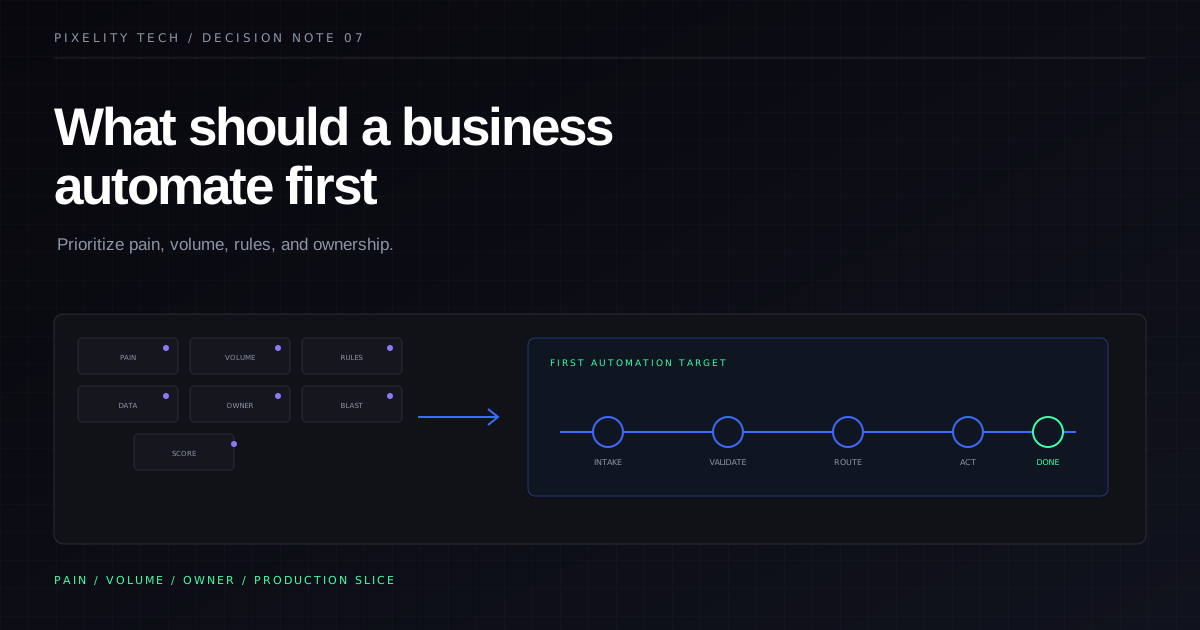
Automation should follow pain, not ambition. Use this prioritization framework to choose the first workflow worth automating without overbuilding.
Read field note
Automation Versus Integration
Automation executes decisions inside a workflow. Integration moves data between systems. Confusing the two leads to duplicate records, brittle scripts, and tools nobody trusts.
Read field note